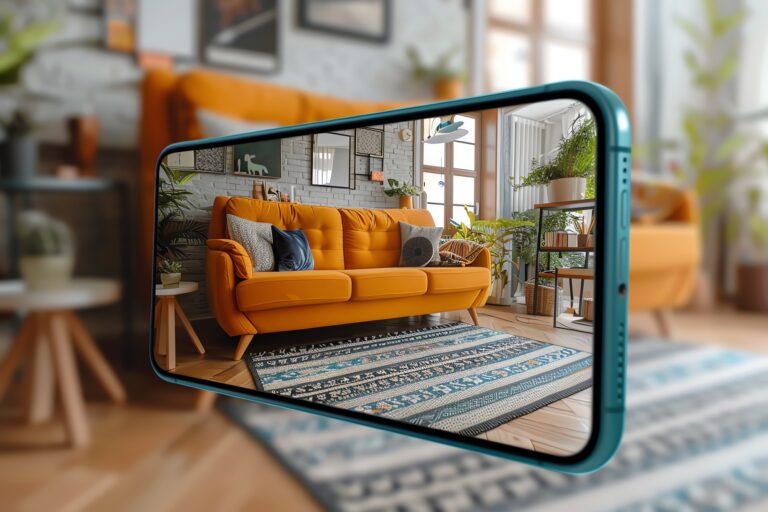
If you love creating moodboards on the go, you’re in the right place. Mobile moodboard apps make it easy to design, organize, and share visual ideas anytime, anywhere.
Interior designers can use them to plan out client projects and design schemes. Fashion stylists can map out outfits and seasonal trends. Content creators can build branded aesthetics for social media and campaigns. Everyday creatives can explore fresh vibes, dream up event themes, or play with personal style.
From quick collage tools to all-in-one platforms with advanced editing features, there’s an app here for every workflow and skill level. I tested and researched the top mobile moodboard apps to help you find the one that fits your creative process best.
For professional desktop options, check out our guide to moodboard software. Or, keep reading for our favorite apps!
Table of Contents
Comparing the best moodboard apps
| Audience | Available On | Ratings | Pricing | |
| Moodboard | Creatives & everyday users | iOS | ⭐️ 4.8 on Apple App Store | Free with in-app purchases |
| Milanote | Designers & creative teams | iOS, Android, Web | ⭐️ 4.7 on Apple App Store ⭐️ 4.8 on Google Play | Free for 100 items, paid plans from $9.99/month |
| DesignFiles | Interior designers | Web | ⭐️ 4.6 on Capterra ⭐️ 4.5 on G2 | Free for 1 project; paid plans from $49/month |
| Morpholio Board | Interior designers & stylists | iOS (iPhone, iPad, Mac) | ⭐️ 4.8 on Apple App Store | Plans from $4.99 to $11.99/month |
| Canva | Content creators & teams | iOS, Android, Web | ⭐️ 4.6 on Apple App Store ⭐️ 4.7 on G2 | Free plan; Pro starts at $14.99/month |
| ShopLook | Stylists & fashion lovers | iOS, Android, Web | ⭐️ 4.5 on Google Play | Store) Free; Plus $4.99/month, Premium $6.99/month |
| Everyone | iOS, Android, Web | ⭐️ 4.6 on Apple App Store ⭐️ 4.4 (Play) | 100% free | |
| Visme | Brand & content teams | iOS, Android, Web | ⭐️ 4.2 on Apple App Store ⭐️ 4.4 on Google Play | Free plan; Pro starts at $12.25/month |
| Mural | Remote & creative teams | iOS, Android, Web, Desktop | ⭐️ 2.5 on Google Play | Free for 3 boards; paid plans from $9.99/month |
| Shuffles | Pinterest lovers & creatives | iOS, Android | ⭐️ 4.8 on Apple App Store ⭐️ 4.7 on Google Play | Free |
| Fotor | Content creators & photographers | iOS, Android, Web | ⭐️ 4.5 on Apple App Store ⭐️ 4.3 on Google Play | Free plan; Pro from $3.99/month, Pro+ $8.33/month |
| Adobe Express | Creators & marketers | iOS, Android, Web | ⭐️ 4.7 on Apple App Store ⭐️ 4.6 on Google Play | Free plan; Premium $9.99/month |
| Collage Maker | Hobbyists & students | iOS, Android | ⭐️ 4.6 on Apple App Store ⭐️ 4.9 on Google Play | Free; Pro starts at $4.99/month |
1. Moodboard
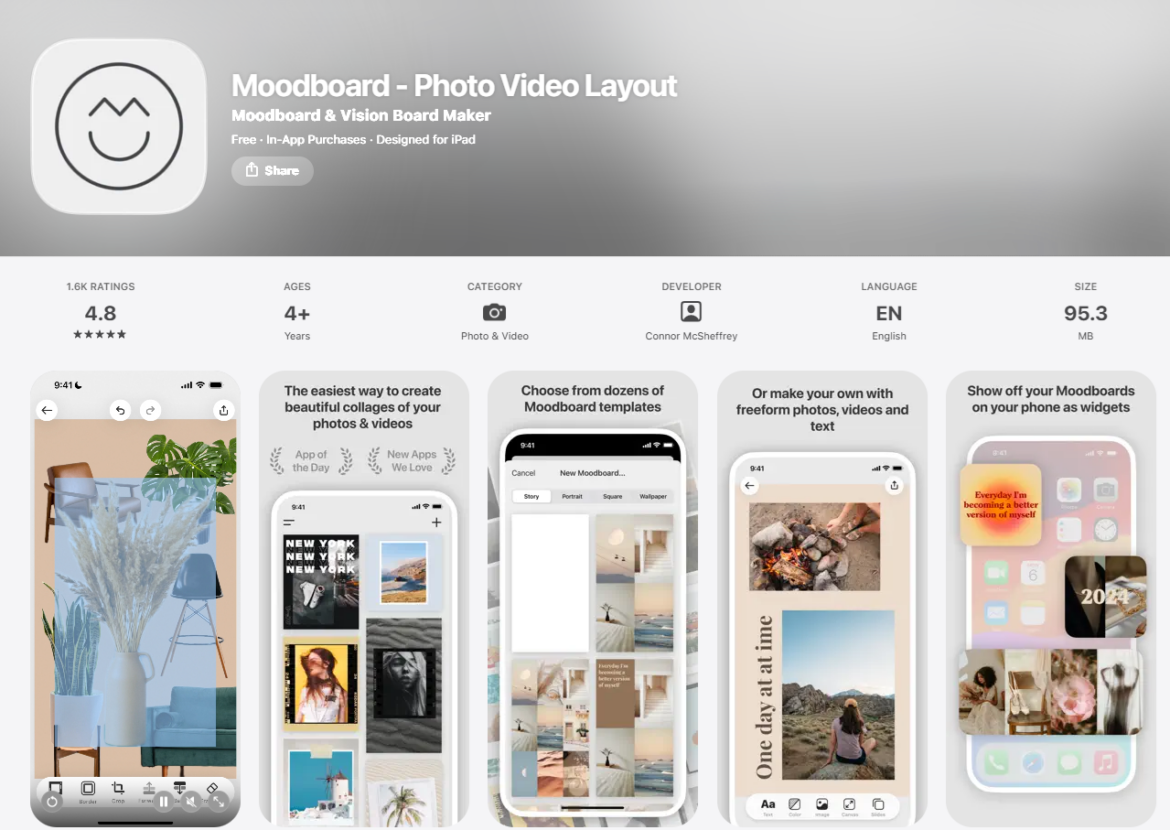
Moodboard is a mobile‑first app that makes creating visually cohesive boards super simple. It’s perfect for designers, creators, and anyone who wants to bring their creative ideas to life on the go. Instead of traditional desktop tools, Moodboard focuses on photo and video collages, vision boards, and aesthetic layouts right from your iPhone or iPad.
It’s designed to be intuitive and quick, letting you combine images, videos, and stylized text into dynamic moodboards you can save or share directly to social media.
Features:
- Intuitive drag‑and‑drop layout builder for photos and videos
- Dozens of built‑in moodboard and vision board templates
- Freeform canvas with up to 10 frames per board
- Background eraser tool to isolate subjects in images
- Custom color picker and eyedropper tool for board theming
- Multiple canvas aspect ratios (stories, square, landscape, etc.)
- Export directly to Photo Library or social platforms like Instagram & TikTok
- Create home screen widgets for your moodboards or vision boards
- Stock photo library with millions of Unsplash images
- Save boards as swipeable carousels or videos for social sharing
My experience:
Using Moodboard feels like crafting a collage with your fingers. It’s tactile, fast, and fun. The templates are a great starting point if you’re new to moodboarding, but the freeform canvas lets you experiment with layouts without pressure. I appreciated how easy it was to erase backgrounds on key images and pull colors from photos to harmonize each board’s aesthetic.
Sharing directly to Instagram or TikTok was seamless. The app even lets you export boards as swipeable carousels, which felt great for social storytelling. Some controls (like precise resizing or rotating small elements) can take a bit of getting used to, but overall, it delivers a very smooth, mobile‑native moodboarding experience.
Pros:
- Designed specifically for moodboards and vision boards on mobile
- Quick export and sharing directly to social platforms
- Clean, easy‑to‑use interface with built‑in templates
- Background removal and color tools help create cohesive visuals
- Free to start with optional in‑app upgrades
Cons:
- Lacks advanced collaboration or professional design features
- Limited to mobile and doesn’t sync to a web or desktop version
- Some users report UI controls could be smoother on detailed layouts
Pricing:
Moodboard is free to download with optional in‑app purchases that unlock premium features like advanced templates and export options. The app also offers Moodboard Pro as a subscription for access to all tools and content.
Ratings:
- ⭐️ 4.8 stars on the App Store
Available on:
2. Milanote
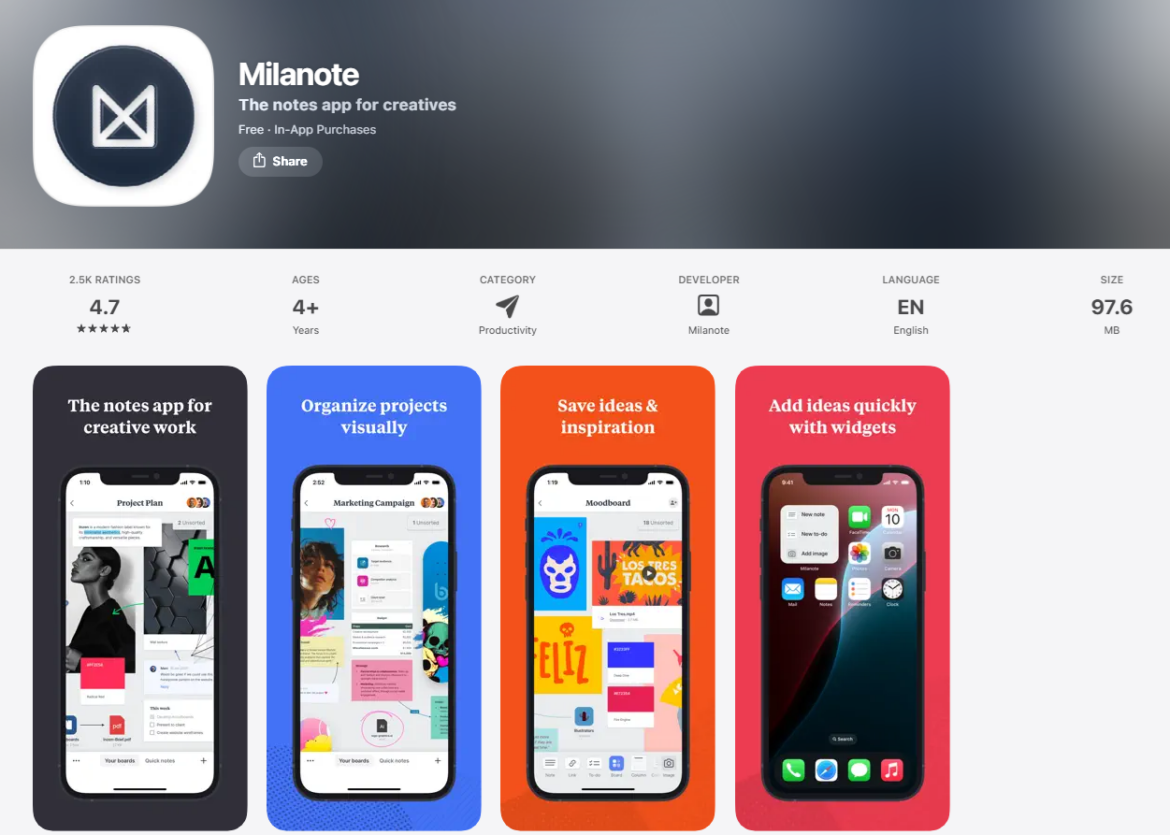
Milanote is a flexible, visually-driven app designed for creatives who need more than just a pinboard or collage. Often described as a digital whiteboard for creatives, it’s used by filmmakers, designers, marketers, and interior designers to build moodboards, organize inspiration, plan projects, and collaborate visually.
With its iOS and Android apps, Milanote makes it easy to collect ideas on the go and refine them later on desktop. The interface is fluid, clean, and open-ended, letting you mix text, images, videos, links, and checklists into freeform, visual boards.
Features:
- Drag-and-drop moodboard creation with flexible layout options
- Support for images, notes, videos, links, checklists, and sketches
- Templates for moodboards, project plans, storyboards, and more
- Web clipper to save inspiration from anywhere online
- Collaboration tools with shared boards, comments, and permissions
- No limit on board size—great for expansive layouts and concept walls
- Works across web, desktop, iOS, and Android for cross-device access
My experience:
Milanote feels like a creative studio you can carry in your pocket. Its moodboard tools aren’t limited to a grid. You can organize and rearrange content however it makes sense for your brain. I especially liked how easy it was to mix in notes, tasks, and links alongside visuals, making it perfect for turning early inspiration into a full project outline.
While I started using it for moodboarding, I ended up mapping out entire marketing campaigns and video scripts. The mobile app is great for capturing inspiration on the fly, though it’s best paired with the desktop version for deep work. The main limitation? The free plan gets maxed out quickly, and there’s no offline access.
Pros:
- Moodboards feel open and flexible, which is ideal for creative thinking
- Beautiful visual layout that supports all types of media
- Great for solo brainstorming and collaborative planning
- Freeform structure helps you build complex boards without rigid templates
- Web clipper and mobile apps make it easy to gather inspo anytime
Cons:
- Free plan limits you to 100 items and 10 file uploads
- Offline access and some advanced features are limited to paid plans
- Mobile app works well for capturing, but editing is smoother on desktop
Pricing:
Milanote is free to use with access to 100 notes, images, or links and 10 file uploads. For unlimited content and uploads, plans start at $9.99/month per user (billed annually). Teams of up to 10 can sign up for $49/month. No time limit on the free plan.
Ratings:
- ⭐️ 4.7 stars on the App Store
- ⭐️ 4.8 stars on Google Play
Available on:
3. DesignFiles
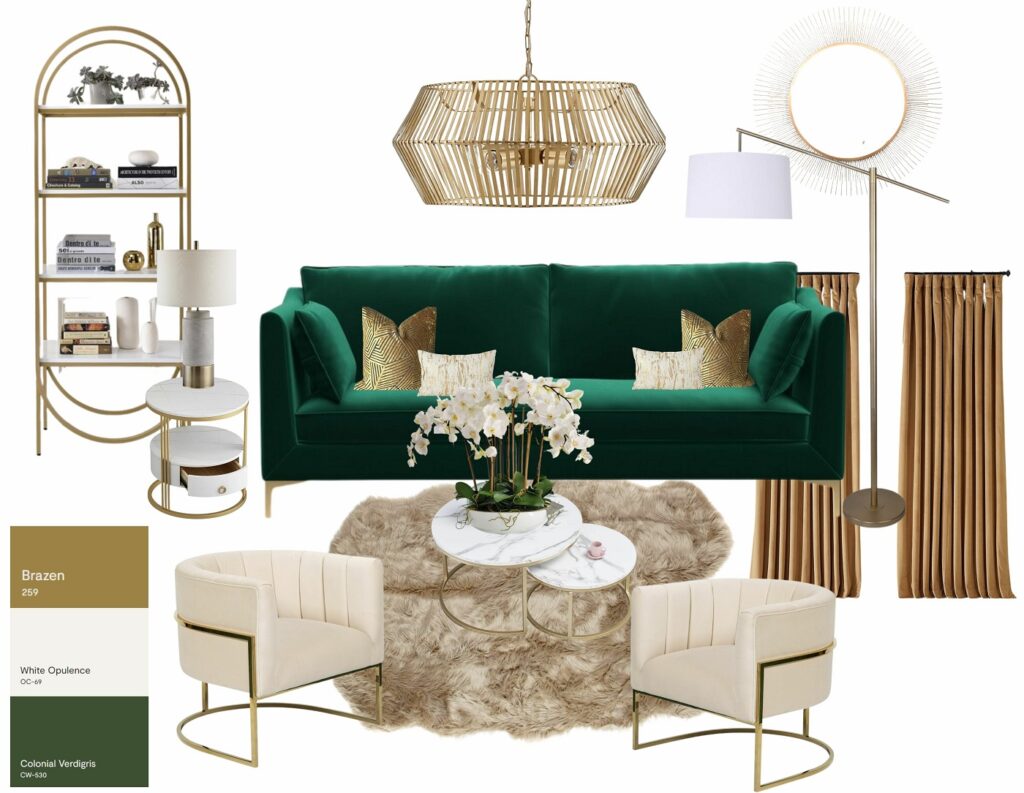
DesignFiles is a professional-grade, all-in-one platform built exclusively for interior designers who want to create polished, client-ready moodboards while managing their entire business in one place. While it’s not a native mobile app, DesignFiles is fully web-based and works seamlessly across devices, making it easy to review, share, and collaborate on moodboards from anywhere.
Beyond moodboards, DesignFiles supports the full interior design workflow, including 3D floor planning, client communication, sourcing, invoicing, purchasing, and financial tracking, all within a single, centralized platform.
Features:
- Drag-and-drop moodboards with advanced image controls, including scaling, layering, cropping, and distortion
- One-click background removal for fast, clean product visuals
- Fully branded moodboards with custom logos, fonts, and brand colors
- Built-in product library with 750K+ items from well-known vendors
- Integrated paint libraries from Benjamin Moore, Sherwin-Williams, Dulux, and Farrow & Ball
- Browser extension product clipper to save items from anywhere online
- Auto-generated product lists with pricing pulled directly from moodboards
- Client-facing feedback tools with comments and product approvals
- Floor planner and 3D renderings connected directly to moodboards
- Branded PDF presentations, spec sheets, and tear sheets
- Client portal for communication, approvals, and secure payments
- Quotes, invoices, retainers, RFQs, and purchase orders
- Task management, project calendar, and time tracking
- Financial reporting and QuickBooks integration
My experience:
What stood out most was how quickly moodboards move from inspiration to action. Every item added to a board automatically becomes part of a product list, presentation, and approval workflow, which saves a huge amount of back-and-forth.
The background removal tool and realistic scaling made it easy to create boards that feel polished and professional without needing Photoshop. I also liked how clients can comment and approve items directly on the board, keeping feedback clear and organized.
Pros:
- Built specifically for professional interior designers, not general creatives
- Moodboards connect directly to product lists, specs, and purchasing workflows
- Strong client collaboration with approvals, comments, and portals
- Clean, professional presentations with branded exports
- Low ACH payment fees compared to many business platforms
- Large collection of ready-to-use templates for questionnaires, contracts, proposals, and presentations
Cons:
- No native iOS or Android app
- Overkill for users who only need casual or personal moodboards
Pricing:
DesignFiles offers a free plan for one project so designers can explore the platform before committing. Paid plans start at $49/month for the eDesign plan, $69/month for the Full Service plan, and custom pricing for Enterprise teams. All plans include unlimited projects and clients, with additional users priced at $25/month. A 90-day money-back guarantee is included.
Ratings:
- 4.6 stars on Capterra
- 4.5 stars on G2
Available on:
4. Morpholio Board
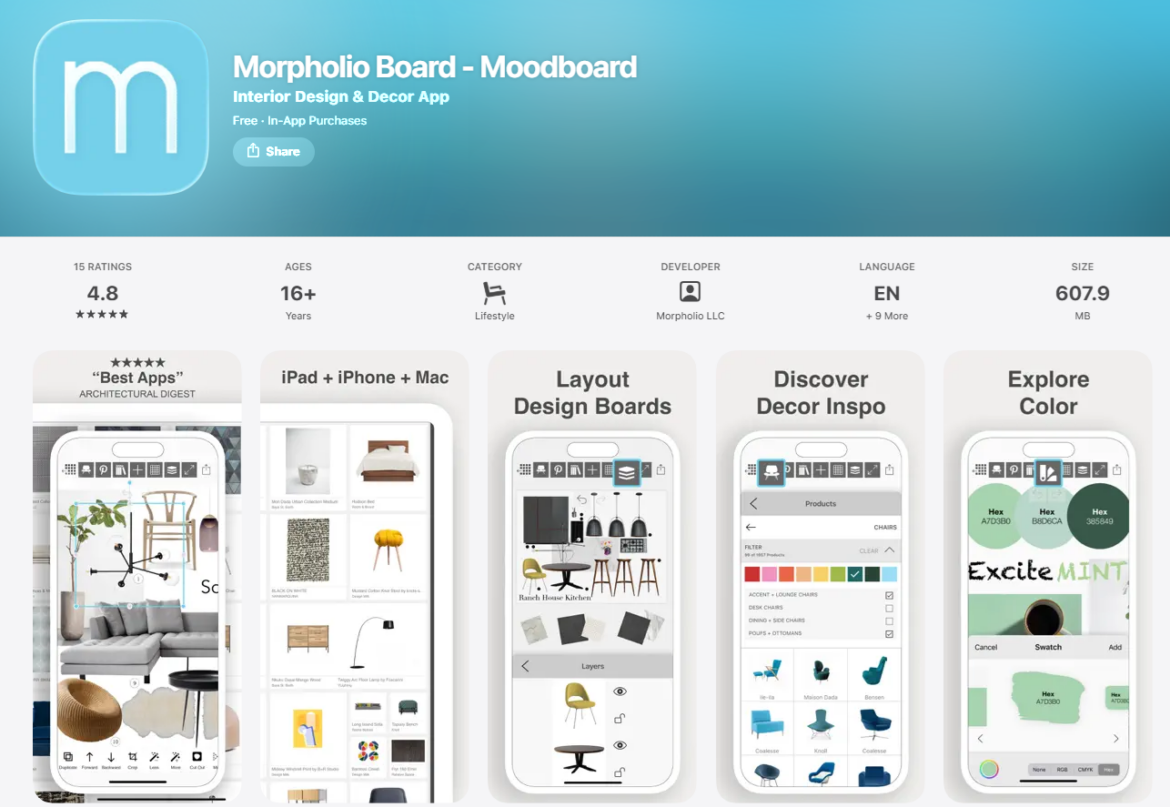
Morpholio Board is a feature-rich moodboard app designed specifically for interior designers, decorators, stylists, and design enthusiasts. Built natively for iOS and Mac, it has earned accolades from Architectural Digest, Elle Décor, and House Beautiful for transforming the interior design workflow into a visual, interactive, and highly mobile experience.
From product sourcing to presentation-ready cut sheets, this app combines the best of creative flexibility and professional-grade tools—all optimized for iPad, iPhone, and Apple Pencil.
Features:
- Drag-and-drop moodboard creation with layers, grids, and intelligent layout tools
- Magic Lift AI and Magic Wand for one-tap background removal
- Built-in product gallery featuring brands like Knoll, Moooi, and Herman Miller
- Web clipper and Pinterest integration for collecting inspo and products
- Auto-generated furniture sourcing lists, cut sheets, and live links
- Add drop shadows, swatches, smart text, and titles for polished presentation boards
- Multipage moodboards and custom canvas sizes for large-scale or social-ready layouts
- Export as PDFs, PSDs, images, or spreadsheets to share with clients
- View furniture in augmented reality (AR) using Apple’s ARKit
My experience:
Morpholio Board is like having a professional design studio in your pocket. The UI is sleek, fast, and deeply intuitive, which is great when working with images, layouts, and design concepts in real time. I loved using the Magic Lift background remover and the Shadow Maker to add polish and realism to furniture cutouts.
Its Pinterest integration made sourcing effortless, and I was amazed how quickly I could turn an inspiration board into a full product spec sheet. The experience is tailor-made for interior designers, and it feels premium at every step, from touch interactions to presentation exports.
Pros:
- Built from the ground up for interior design professionals
- Offers unique tools like AR product previews and Magic Lift AI
- Seamless Pinterest and web integration for sourcing
- Generates spec sheets and sourcing documents automatically
- Works beautifully with Apple Pencil, iPad, iPhone, and Mac
Cons:
- Only available on Apple devices (no Android or Windows support)
- Can take time to master all the advanced tools for new users
- Some features locked behind paid plans
Pricing:
Morpholio Board offers three subscription tiers. The Essentials plan is $4.99/month and includes basic moodboarding features. The Premium plan is $7.99/month and unlocks export options like PDF and PSD. The Pro plan is $11.99/month and gives full access to advanced features like Ava (automated sourcing lists), augmented reality tools, and spec sheet generation. All plans are available via in-app purchase, and access is shared across iPhone, iPad, and Mac.
Ratings:
- ⭐️ 4.8 stars on the App Store (365+ reviews)
Available on:
5. Canva
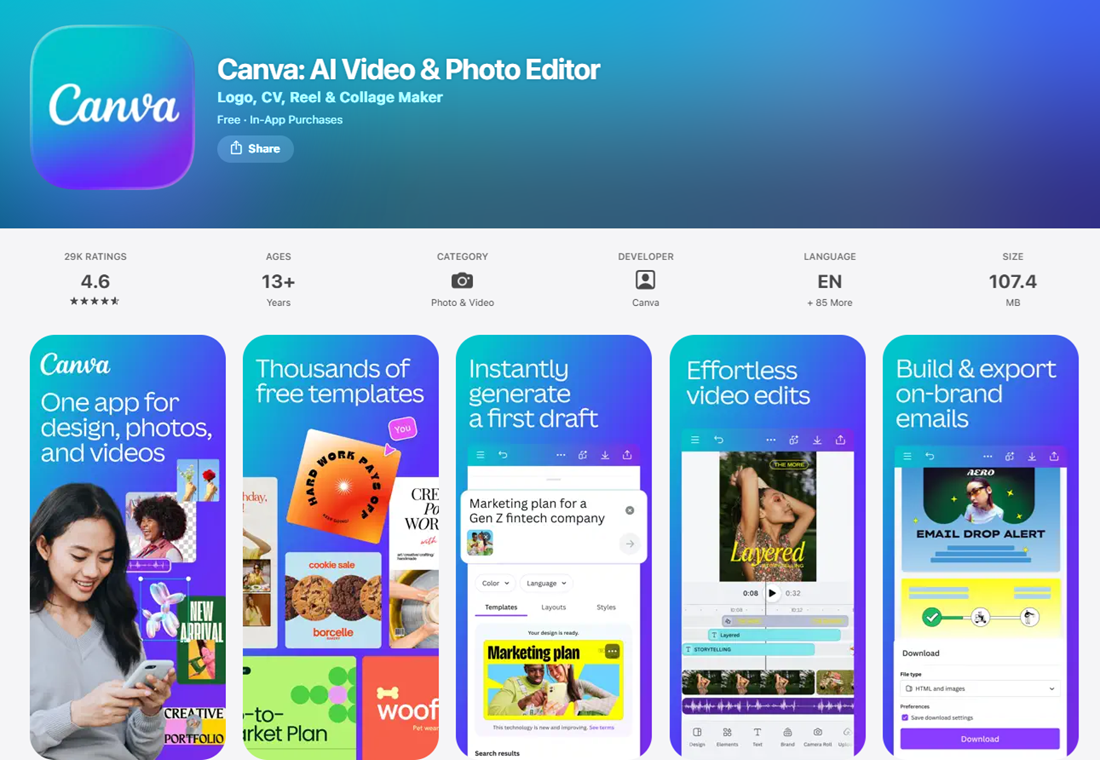
Canva is a powerhouse design app trusted by over 185 million users worldwide, including small businesses, educators, content creators, and interior designers. While it wasn’t built exclusively for moodboards, Canva’s drag-and-drop interface, photo editing tools, and customizable templates make it an ideal platform for building professional, on-brand design boards with ease.
Available on desktop, iOS, and Android, Canva combines flexibility with feature depth, making it especially useful for designers who want to create clean, polished moodboards with custom layouts, logos, and brand elements.
Features:
- Massive library of templates, including dedicated moodboard and lookbook layouts
- Drag-and-drop design editor with flexible photo, text, and element positioning
- Built-in AI background remover for product cutouts
- Add logos, fonts, and colors from your Brand Kit for consistency
- Image editing tools for filters, color correction, cropping, and overlays
- Access to millions of stock photos, videos, textures, and illustrations
- Organize assets into folders, create custom templates, and duplicate projects
- Share directly via link, social media, or export as PNG, JPG, PDF, or MP4
- Real-time collaboration with team members and clients
- Available via web, iOS, and Android apps
My experience:
What I appreciated most about using Canva for moodboards was how easy it is to start from a template and make it my own. I could create a custom moodboard layout, drop in brand colors and logos, and quickly remove backgrounds from product images, without jumping into Photoshop or Illustrator. The experience is smooth and fast, and I loved being able to create a consistent visual style across different client boards.
Because Canva saves branded assets and layouts, I could quickly duplicate and repurpose my favorite templates, making every presentation feel cohesive without reinventing the wheel.
Pros:
- Extremely easy to use for non-designers and pros alike
- Background remover works instantly and saves editing time
- Perfect for on-brand, professional-looking moodboards
- Huge library of templates and assets for quick inspiration
- Mobile-friendly for creating or tweaking boards on the go
Cons:
- Not purpose-built for interior design workflows (no spec sheets or sourcing tools)
- Advanced features like background removal and brand kits require a Pro plan
- Can feel overwhelming for first-time users due to the wide range of tools
Pricing:
Canva is free to use with access to thousands of templates, basic editing tools, and limited cloud storage. Canva Pro unlocks premium features like background remover, brand kits, 100+ million stock assets, and team collaboration tools. It starts at $14.99/month or $119.99/year for individuals. Canva for Teams includes everything in Pro plus team folders, approvals, and workflows, starting at $29.99/month for the first 5 users. Education and nonprofit plans are free with verification.
Ratings:
- ⭐️ 4.6 stars on the App Store
- ⭐️ 4.7 stars on G2 (6,700+ reviews)
Available on:
6. ShopLook
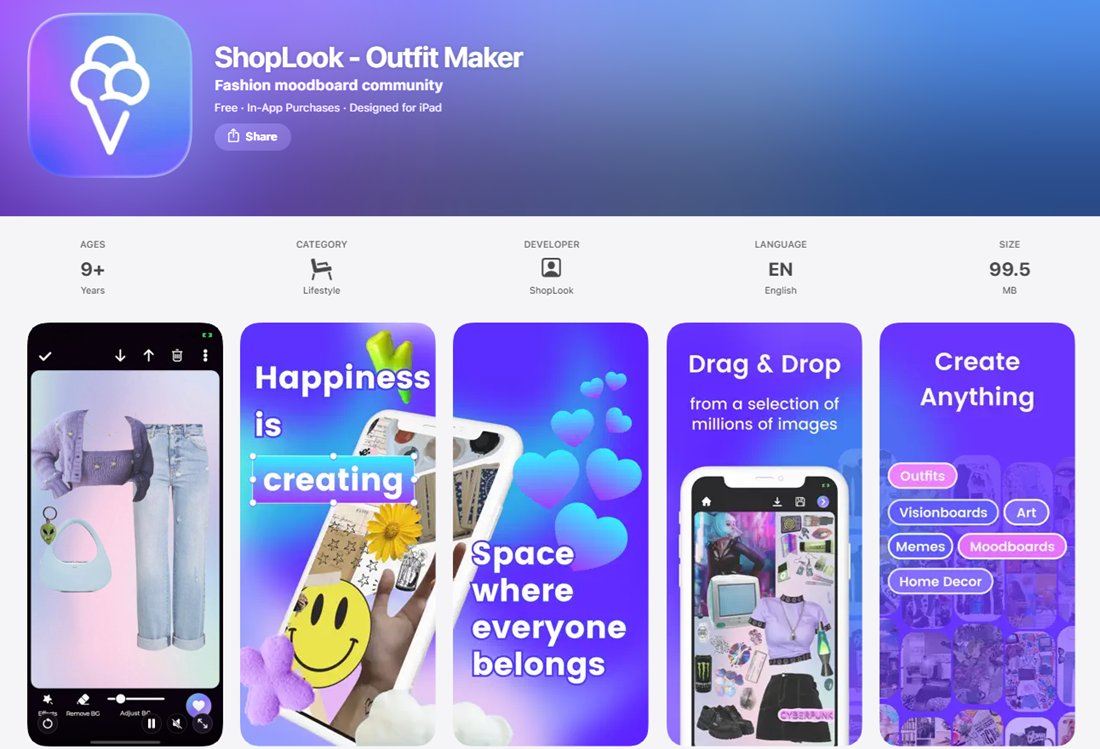
ShopLook is a stylish and accessible moodboard creator designed especially for fashion lovers, stylists, and former Polyvore users. Whether you’re curating looks for clients or just expressing your personal style, ShopLook offers a fun, fashion-focused space to build outfits, moodboards, and shoppable style sets.
It’s available on web, iOS, and Android, and has quickly become the go-to platform for digital outfit creators, influencers, and anyone looking to visualize clothing and accessories in a clean, collage-style layout.
Features:
- Drag-and-drop moodboard builder tailored to fashion styling
- Automatic background remover for clean product cutouts
- Add text overlays, stickers, frames, and creative elements
- Make moodboards shoppable with affiliate links to featured products
- Explore a massive product library or upload your own images
- Follow other users, like, comment, and engage with the community
- Organize moodboards into collections for personal use or client sharing
- Export or share moodboards to Instagram, Pinterest, or via direct link
My experience:
Using ShopLook felt like a revival of the Polyvore era, but with better tools and a modern, mobile-friendly interface. I especially liked how fast it was to build fashion-focused moodboards. The auto background remover worked really well on product images, and I could easily layer text, color blocks, and accessories to create a strong visual theme.
For stylists working with affiliate links or influencers building content, ShopLook offers a way to blend creativity with monetization. It’s not a heavy-duty design app, but it nails its niche to create fun, scroll-stopping fashion collages.
Pros:
- Tailored for fashion and styling with a built-in community
- Background remover is included—even on the free plan
- Easy to make moodboards shoppable with affiliate links
- Great for creating quick, stylish layouts and lookbooks
- Simple enough for beginners, with extras for pros
Cons:
- More limited compared to full design suites (no advanced editing tools)
- Templates and layout flexibility aren’t as robust as Canva or Milanote
- Some useful features require a paid plan
Pricing:
ShopLook is free to use and includes core features like moodboard creation and background removal. The Plus plan ($4.99/month) unlocks additional fonts, editing features, and design elements, while the Premium plan ($6.99/month) gives full access to everything, including advanced tools and premium graphics.
Ratings:
- ⭐️ 4.5 stars on Google Play
Available on:
7. Pinterest
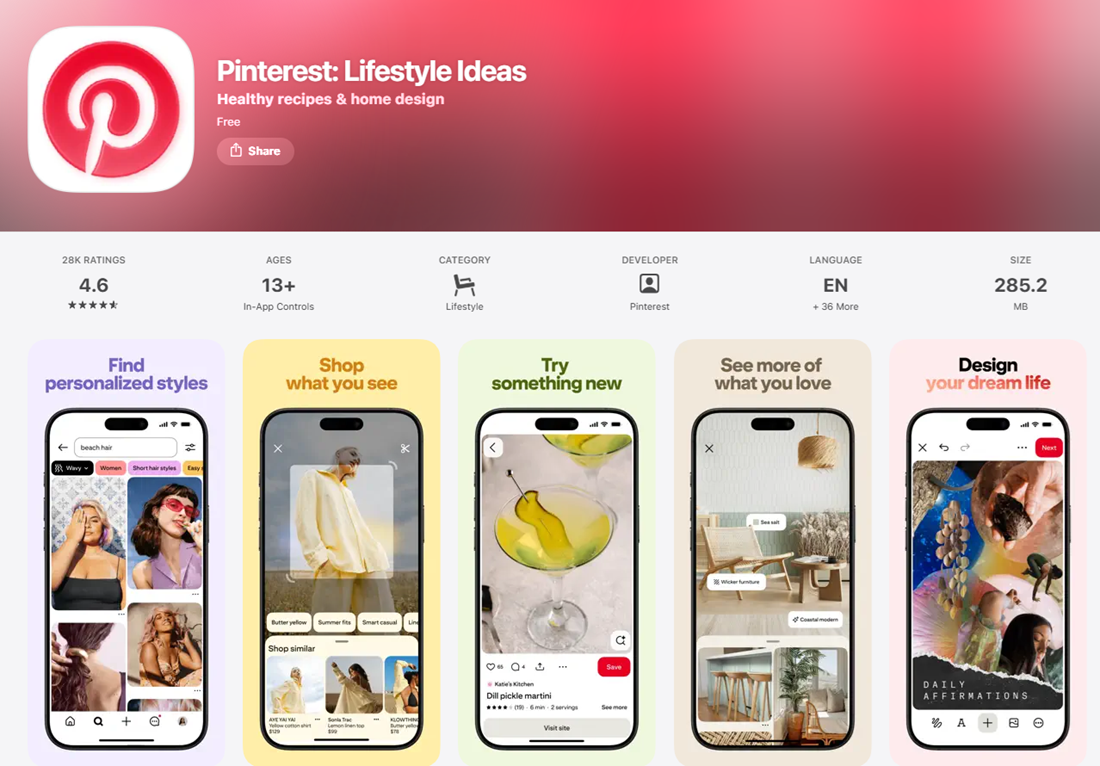
Pinterest is best known as a visual discovery and inspiration platform, but it also doubles as a surprisingly effective moodboard tool, especially for designers, stylists, content creators, and DIY enthusiasts. With the ability to collect, organize, and share images into curated boards, Pinterest offers a flexible, low-effort way to gather visual ideas and build digital moodboards over time.
Whether you’re working on an interior design project, styling a photo shoot, planning a brand aesthetic, or simply organizing inspiration, Pinterest helps you do it all from your phone, tablet, or desktop.
Features:
- Create public or private boards to organize moodboards by theme
- Collaborate with others by inviting contributors to group boards
- Pin images and videos from across the web or upload your own
- Add titles, notes, and links to saved content for easy reference
- Visual search lets you find similar styles from any pin or photo
- Explore curated trends and collections across categories like home, fashion, and beauty
- Save ideas from the Pinterest app or browser extension with one click
- Syncs across web, iOS, and Android devices
My experience:
Pinterest makes it incredibly easy to collect visual inspiration without overthinking layout or design. I used it to quickly create themed boards for different projects—like color palettes, product styling, or seasonal trends—and loved how I could pin images from Instagram, blogs, and vendor sites directly into my boards.
The collaboration tools are especially useful when working with clients or team members. And when I’m ready to move into a more polished moodboard format, I just export or download the images and drop them into a design tool like Canva or DesignFiles.
Pros:
- Super simple and intuitive
- Great for collecting ideas fast
- Visual search and recommendations help uncover new inspiration
- Collaboration-friendly for client or team input
- Great as a starting point before moving to a design-focused platform
- Entirely free and available across all devices
Cons:
- Limited design and layout customization (no true board editing tools)
- Not built for professional design workflows (no background removal or exports)
- Needs to be paired with another app for polished, branded moodboards
Pricing:
Pinterest is completely free to use. There are no paid plans. All core features (including private boards, collaboration, and uploading your own content) are available to everyone.
Ratings:
- ⭐️ 4.6 stars on the App Store
- ⭐️ 4.4 stars on Google Play
Available on:
8. Visme
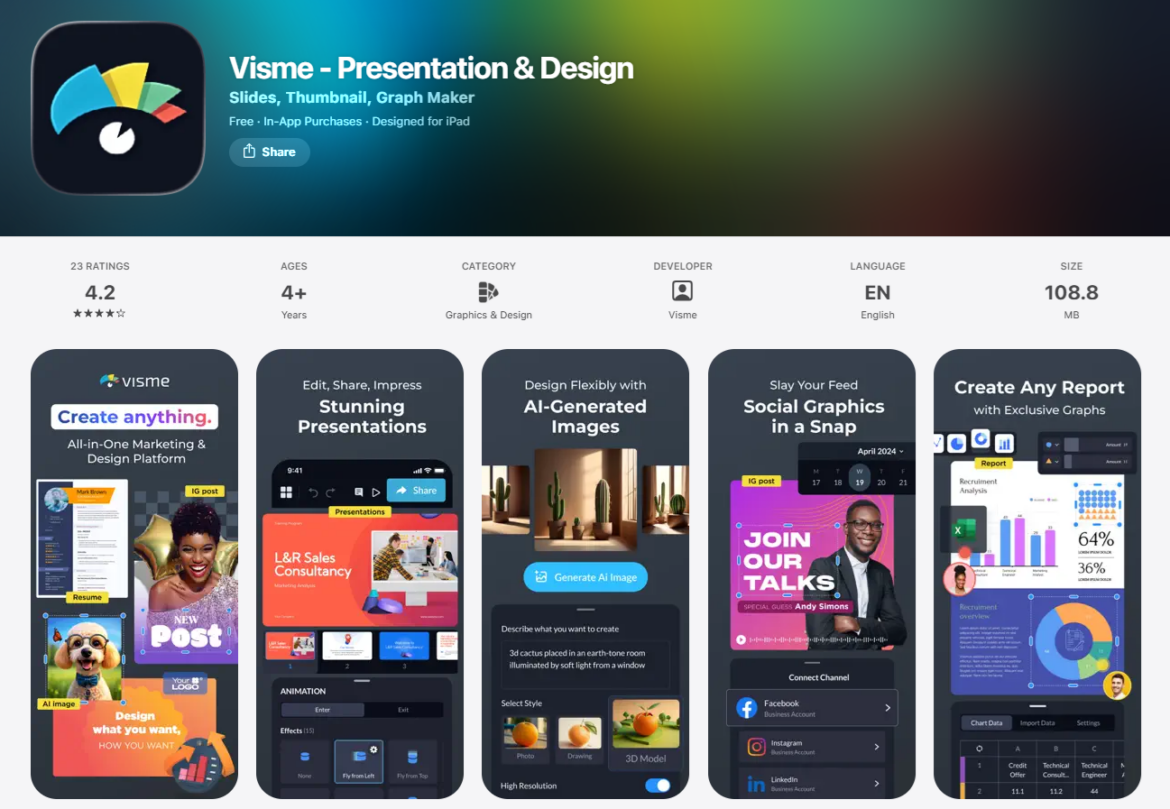
Visme is a powerful, all-in-one visual content platform that includes a flexible moodboard maker alongside tools for creating presentations, documents, social graphics, and interactive content. Designed for both individuals and teams, Visme is ideal if you want to go from concept to presentation-ready visuals in one platform—without needing advanced design skills.
While it’s not purpose-built for interior design or fashion, Visme shines when it comes to creating moodboards that align with brand strategy, content planning, or visual storytelling. It’s especially well-suited for marketers, brand designers, and creative teams working on campaigns or client-facing work.
Features:
- Drag-and-drop editor with customizable moodboard templates
- Upload your own images, videos, fonts, and design assets
- Interactive elements like hover effects, clickable links, and popups
- Save and apply brand fonts, colors, and logos via the Brand Kit
- Real-time collaboration and team commenting tools
- Millions of stock photos, icons, and illustrations
- Share moodboards as live links or download as JPG, PNG, PDF, or HTML
- Works seamlessly across web, iOS, and Android
My experience:
Visme makes it easy to turn a rough concept into a branded visual in minutes. I loved how you can build moodboards using their flexible templates, but also go beyond static visuals by adding interactive features like clickable product links or hover effects. The real-time collaboration tools made it simple to get feedback without switching platforms.
It’s not specifically for interior or fashion designers, but it’s perfect for marketing teams or brand designers who want to visualize and present creative direction in a clean, professional format. It also felt like a more business-forward version of Canva, with deeper asset control and animation options.
Pros:
- Customizable moodboard templates and drag-and-drop design
- Interactive tools let you make more dynamic, clickable boards
- Built-in team collaboration with feedback and version control
- Clean export options and ability to share as a live web link
- Ideal for brand designers, marketers, and client presentations
Cons:
- Interface can feel complex for new users due to all-in-one features
- Some moodboard features are locked behind paid plans
- Not purpose-built for interiors or fashion (no sourcing or design tools)
Pricing:
Visme offers a free plan with access to basic templates and unlimited projects. The Starter plan ($12.25/month) unlocks premium assets, while the Pro plan ($24.75/month) adds video exports, branding tools, and analytics. Enterprise pricing is custom and includes SSO, advanced user roles, approvals, and onboarding for teams.
Ratings:
- ⭐️ 4.2 stars on the App Store
- ⭐️ 4.4 stars on Google Play
Available on:
9. Mural
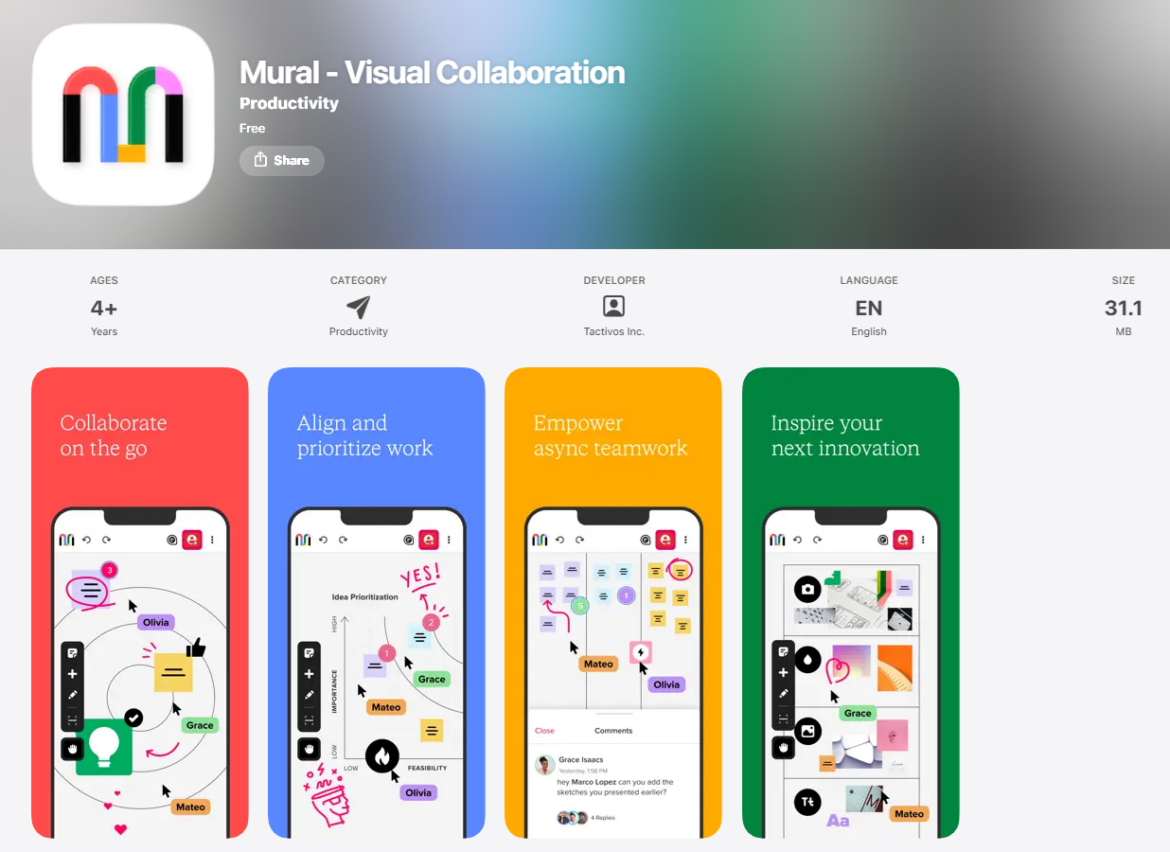
Mural is a collaborative visual workspace built for remote teams working in UX design, engineering, product, and marketing. While it’s best known for digital whiteboarding and brainstorming, it’s also a strong contender for moodboarding, especially if you want to collaborate live with others on visual direction or creative concepts.
You can start with a moodboard template or a blank canvas, then drag in images, color palettes, and textures to create a shared visual reference. It’s especially handy for remote teams who want to keep design conversations in one place.
Built for: Remote teams
Moodboard features:
- Moodboard template and infinite whiteboard
- Add images, files, and notes
- Customize color, shape, and layout
- Upload textures and branding elements
- Collaborate in real time
Other features:
- 250+ built-in templates for brainstorming, planning, and diagramming
- Diagrams, flowcharts, and process mapping
- OKR tracking and strategy planning
- Mural AI tools for ideation and organization
- Version history, voting, and private mode
- Available on web, iOS, Android, Mac, and Windows
My experience:
Mural feels like a virtual war room for any kind of team collaboration. I loved how easy it was to drop in images and move things around, and the moodboard template gives you a solid structure to start from. What stood out most was how intuitive it felt to work with a team—adding sticky notes, voting on ideas, and jumping into private mode when you want individual input first.
This is definitely more of a team tool than a solo app, so if you’re working on client-facing moodboards, marketing campaigns, or collaborative UX projects, it’s a great choice.
Pros:
- Ideal for remote visual collaboration
- Templates for nearly every use case
- Voting, commenting, and private ideation tools
- Flexible canvas with infinite space
- Great integrations with Zoom, Slack, and Google
Cons:
- Takes time to learn all the features
- Can feel like overkill for quick, personal moodboards
- Offline or export options are limited compared to other apps
Pricing:
Mural offers a free plan that includes up to 3 murals, unlimited visitors, and access to all visual collaboration tools. The Team+ plan ($9.99/month per user, billed annually) offers unlimited murals, private rooms, and collaboration rights. Business plans ($17.99/month) add SSO, guest access, and advanced integrations. Enterprise pricing is available upon request and includes data governance, multiple workspaces, and SCIM user management.
Ratings:
- ⭐️ 2.5 stars on Google Play
Available on:
10. Shuffles
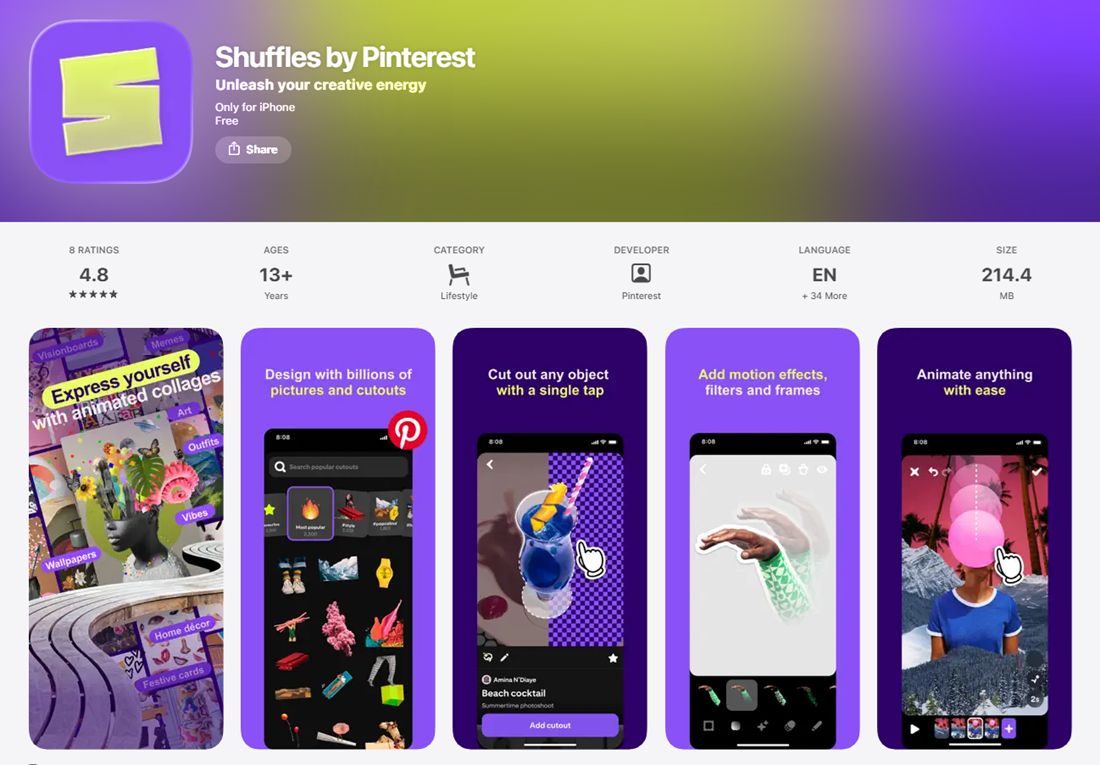
Shuffles is a mobile collage-making app from Pinterest designed for creatives who love mixing visual inspiration into eye-catching compositions. Think of it as Pinterest’s edgier sibling, built specifically for aesthetic-driven moodboarding, vision boarding, and visual storytelling.
Shuffles pulls directly from your Pinterest pins, letting you cut out elements from saved images and remix them into layered collages. With animated effects, stickers, and background removals, it’s perfect for moodboards that go beyond static visuals and feel more like digital zines or social-ready art.
Built for: Creatives, vision boarders, and trendsetters
Moodboard features:
- Pull images directly from Pinterest pins
- Auto-cutout tool for backgrounds
- Layering, animation, and effects
- Add stickers and text
- Create private or public boards
- Share directly to Pinterest or download
Other features:
- Built-in Pinterest integration
- Save and reuse your favorite cutouts
- Remix existing Shuffles by other users
- Discover trending aesthetic edits in the app
- Mobile-only experience
My experience:
Shuffles brings a new level of creativity to moodboarding. I loved how easy it was to cut elements out of Pinterest images with a single tap and layer them in a way that felt almost like digital scrapbooking. It’s more playful and expressive than traditional moodboarding tools. I like using it when I’m trying to nail down the vibe of a project before getting too structured.
It’s also incredibly addictive. The animations, shadows, and cutouts make even simple collages feel dynamic. While not a replacement for more formal tools, it’s an amazing mobile app for capturing creative energy.
Pros:
- Gorgeous, layered visuals that feel modern and expressive
- Seamless Pinterest integration
- Easy one-tap background removal
- Great for storytelling or aesthetic-based projects
- Feels social, with a remixable content feed
Cons:
- Mobile-only (no desktop version)
- Editing can get a little cluttered on smaller screens
- Less precise than professional design tools
Pricing:
Shuffles is free to use and available for both iOS and Android. There are currently no paid tiers or subscriptions.
Ratings:
- ⭐️ 4.8 stars on the App Store
- ⭐️ 4.7 stars on Google Play
Available on:
11. Fotor
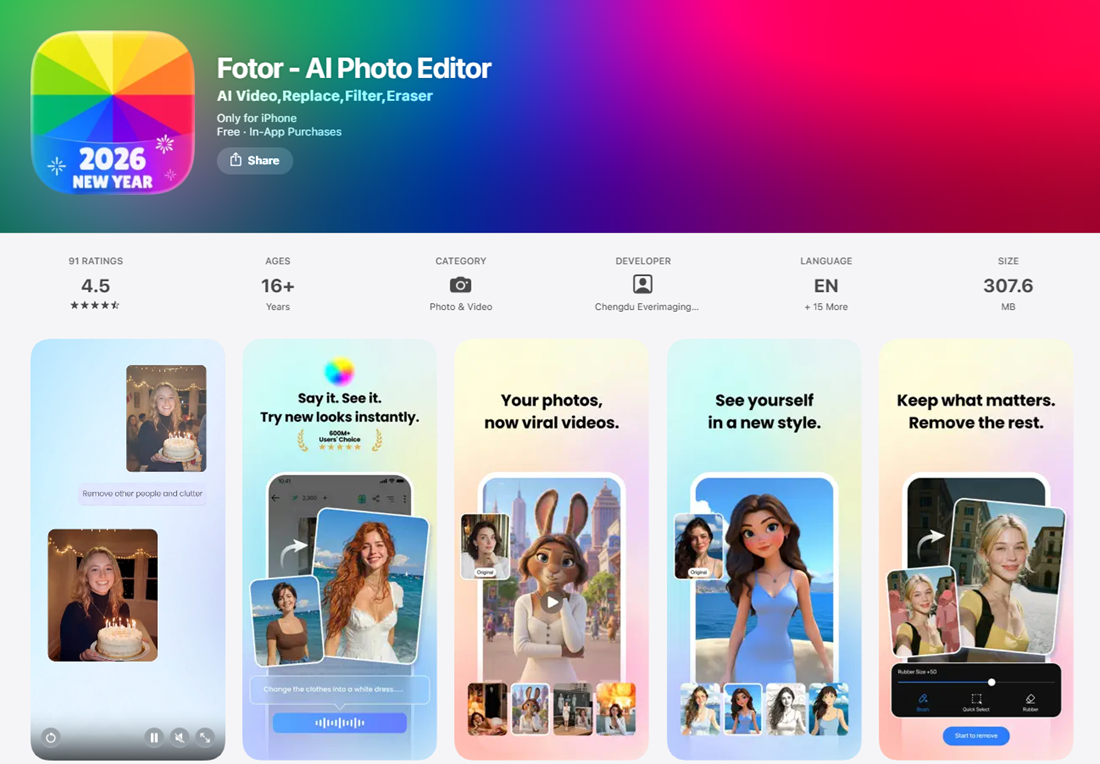
Fotor is a full-featured photo editor that also includes collage and moodboard creation tools, making it a great pick for creatives who want more control over the visual polish of their boards. Whether you’re a photographer, content creator, marketer, or digital artist, Fotor gives you the tools to not only assemble a moodboard, but also elevate each element within it using pro-level image editing.
With a billion downloads to date, Fotor’s mobile app offers an intuitive editing interface with AI tools, design templates, and built-in enhancement features that work well for polished, studio-quality compositions.
Built for: Creative professionals
Moodboard features:
- Drag-and-drop collage and moodboard maker
- Customizable templates and layouts
- Text overlay and design elements
- Import your own images or use built-in stock photos
- Export in high-res formats for print or digital sharing
Other features:
- AI-powered background remover
- One-tap image enhancement
- AI photo editing and retouching
- Photo filters, effects, and artistic styles
- AI text-to-image generation
- Graphic design templates for banners, social media, and more
- NFT creator and design maker
My experience:
Fotor is a powerful tool for anyone who wants more editing flexibility within their moodboarding process. I used it to tweak individual images, like adjusting lighting, removing backgrounds, and adding effects before pulling them into a collage. It felt like a hybrid between a photo editor and a lightweight design tool, which makes it ideal when your moodboard needs that extra bit of polish.
The AI tools save tons of time, especially the background remover and one-tap enhancer. Just note: if you’re not planning to edit your images, a more layout-focused tool like Canva or Visme might be faster.
Pros:
- Professional-grade photo editing and enhancement
- Great for artists, marketers, and content creators
- AI tools for background removal and image generation
- Wide range of graphic design templates
- Mobile and desktop compatibility
Cons:
- Moodboarding features are less collaborative than other apps
- UI can feel crowded due to the many tool options
- Not ideal for teams or project-based moodboarding
Pricing:
Fotor offers a free plan with basic editing tools, templates, and limited cloud storage. The Pro plan starts at $3.99/month, unlocking HD downloads, advanced AI tools, and watermark removal. The Pro+ plan ($8.33/month) adds branding kits, AI slide tools, and 10GB of storage.
Ratings:
- ⭐️ 4.5 stars on the App Store
- ⭐️ 4.3 stars on Google Play
Available on:
12. Adobe Express
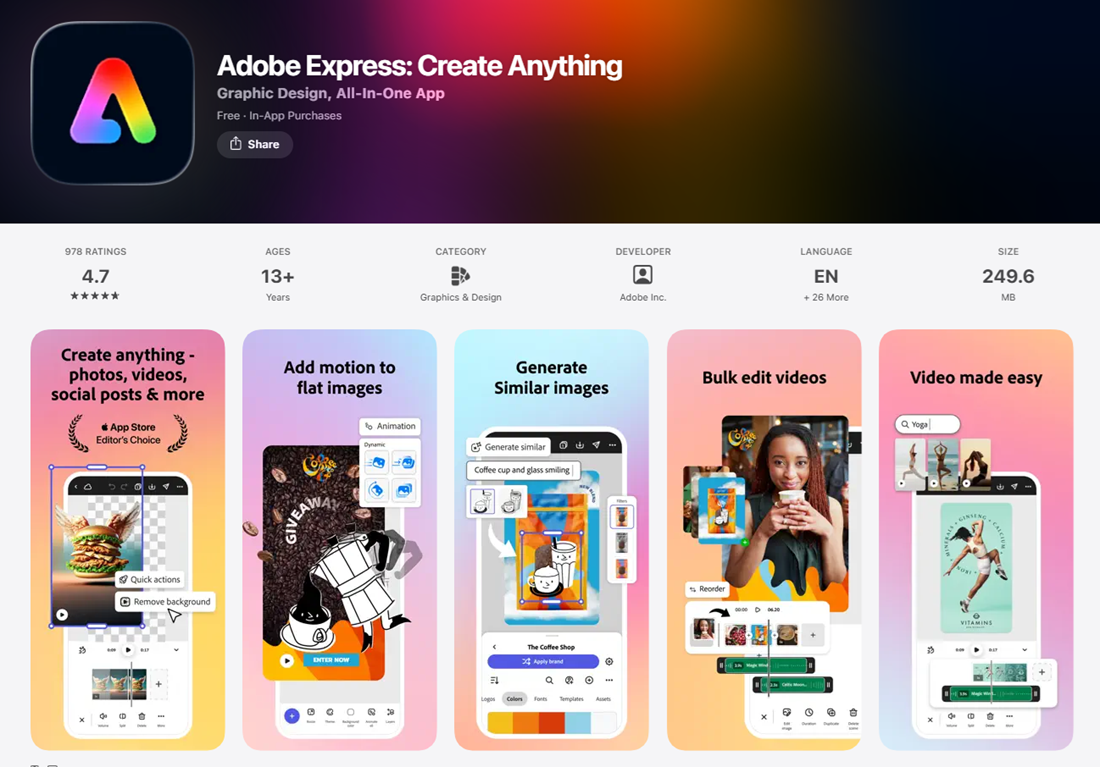
Adobe Express (previously Adobe Spark) is Adobe’s user-friendly design platform that makes it easy for anyone—regardless of design background—to create beautiful graphics, videos, and moodboards. While it’s part of the Adobe ecosystem, Express is much simpler than tools like Photoshop or Illustrator and is designed to feel more intuitive and accessible, especially for quick, high-quality visual content.
Whether you’re designing a brand moodboard, vision board, or social campaign concept, Adobe Express offers a powerful mix of pre-built templates, drag-and-drop tools, and integrated AI-powered editing.
Built for: Anyone
Moodboard features:
- Moodboard and collage templates
- Drag-and-drop photo and video editor
- Integration with Adobe Stock (premium users)
- Upload custom photos, logos, and graphics
- Text overlay with fonts from Adobe’s library
- One-click image background remover
- AI image generation with Adobe Firefly
Other features:
- Thousands of templates for social media, flyers, presentations, and more
- Resize tools for adapting one design across multiple channels
- Brand Kit tools (logos, fonts, colors) for consistent visuals
- Import files from Photoshop and Illustrator
- Real-time collaboration and project sharing
- Video editing and audio recording
- Available on web and mobile
My experience:
Adobe Express is shockingly easy to use, especially for something built by Adobe. I appreciated how fast I could go from a blank canvas to a polished moodboard using their pre-designed templates. The AI background remover worked flawlessly, and it was helpful to stay on-brand using custom fonts and colors in the Brand Kit.
It’s great when you want something more flexible and robust than Canva without the complexity of full Adobe software. And if you already use Photoshop or Illustrator, being able to bring those files directly into Express is a big plus.
Pros:
- Easy-to-use interface for both beginners and pros
- Seamless integration with Adobe tools and stock assets
- AI-powered editing and design assistant
- Great value for creatives who already use Adobe products
- Mobile and desktop versions sync for on-the-go editing
Cons:
- Some templates and assets are only available on paid plans
- Occasional lag in mobile version with complex edits
- Still more design-focused than collaboration-focused
Pricing:
Adobe Express has a free plan that includes essential tools, templates, and limited AI credits. The Premium plan is $9.99/month, unlocking full access to Adobe Stock assets, Brand Kits, resizing tools, and more. For teams and businesses, advanced plans start at $7.99/user/month with added collaboration and admin controls.
Ratings:
- ⭐️ 4.7 stars on the App Store
- ⭐️ 4.6 stars on Google Play
Available on:
13. Collage maker
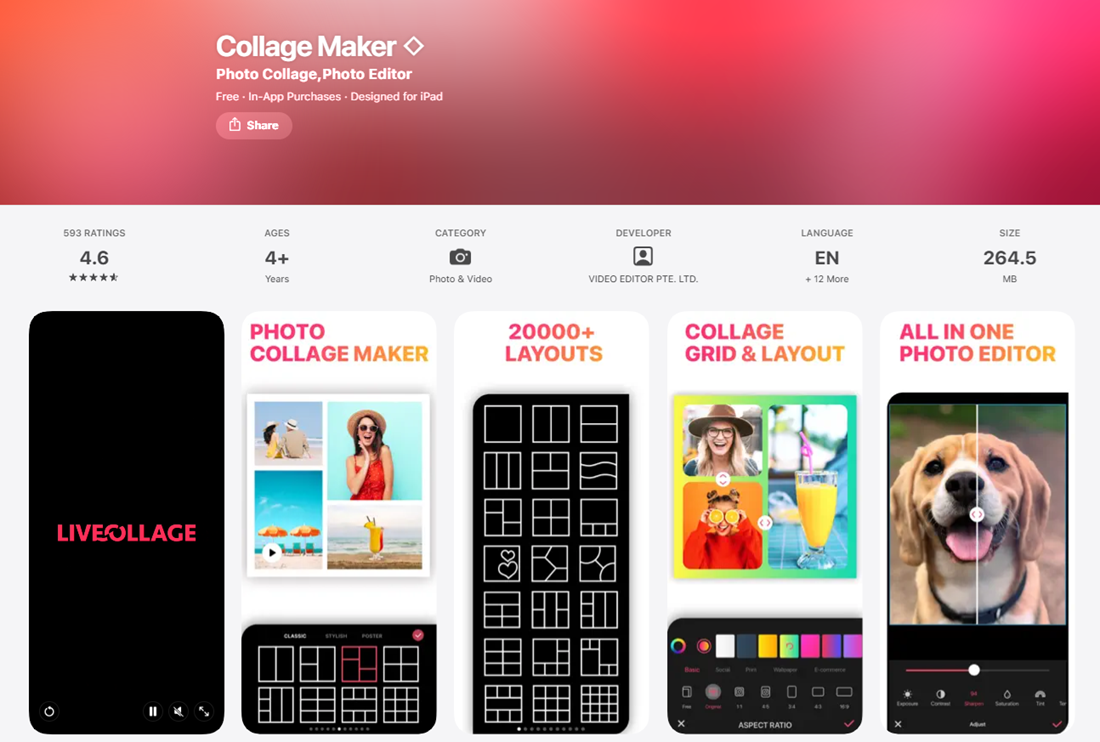
Collage Maker is a straightforward, no-frills app designed for quick and easy photo collages. While it’s not specifically built for professional moodboarding, it’s perfect if you’re looking for a simple way to assemble visual inspiration using photos from your phone. With flexible layouts, aesthetic filters, and intuitive editing, it’s great for hobbyists, students, and anyone who wants to visualize a vibe fast.
It doesn’t come with branding tools or collaboration features, but for solo users focused on quick creative expression, it gets the job done.
Built for: Casual users and hobbyists
Moodboard features:
- Hundreds of photo grid and collage layouts
- Freestyle canvas for custom layouts
- Add text, stickers, and backgrounds
- Resize, rotate, crop, and layer images
- Aesthetic filters and photo effects
- Blur and frame options for polish
Other features:
- Mirror, flip, and color tools
- Daily design inspiration and layout challenges
- Save and share directly to social platforms
- Works offline
- Lightweight and easy to use
My experience:
Collage Maker isn’t trying to be a professional design tool, and that’s what makes it good at what it does. I was able to pull in my saved inspiration photos, pick a clean layout, and build a stylish collage in just a few minutes. The freestyle mode gave me more creative control than expected, letting me move and layer images freely.
If you’re looking for a fast way to map out a look or aesthetic (and you don’t need AI tools, stock libraries, or a brand kit), this is a great little app to have on your phone.
Pros:
- Extremely easy to use with fast setup
- Lots of grid styles and collage templates
- Fun design add-ons like stickers and fonts
- Great for visual journaling or social posts
- No account required to use basic features
Cons:
- No collaboration or team features
- Lacks brand-level customization
- Ads and limited functionality on free plan
Pricing:
Collage Maker is free to download with basic templates and editing tools. The Pro version starts at $4.99/month, removing ads and unlocking premium templates, filters, and layout options.
Ratings:
- ⭐️ 4.6 stars on the App Store
Where to download:
Frequently asked questions
DesignFiles is built specifically for interior designers, so it’s the best all-in-one option. You can create moodboards, floor plans, 3D mockups, client proposals, and even manage invoicing and purchasing all from one sleek dashboard.
ShopLook is a favorite among fashion pros. It’s like the modern-day Polyvore, with drag-and-drop styling, auto background removal, and shoppable affiliate links. You can even follow other users for inspo and keep your style boards super current.
Canva and Adobe Express both shine for content creators. You get templates, branding tools, background removal, and drag-and-drop photo editing. You can use it for curating Instagram grids, campaign concepts, or pitch decks that pop.
Absolutely! Several apps—like DesignFiles, Visme, and Morpholio Board—offer exportable PDFs, branded templates, and even client approval tools. You can turn your moodboards into polished presentations your clients will swoon over.
It depends on your goal, but start with 6–12 strong images. Think: color swatches, textures, inspiration photos, fonts, product images, or anything that sets the tone. Add notes or labels if it helps tell the story.
Most apps offer a free plan with basic tools, but you’ll unlock better features (like brand kits, background removal, or HD exports) with a paid upgrade. Prices typically range from $4.99 to $24.99/month depending on what you need.
They’re super similar, but moodboard apps are often designed for planning and storytelling, like branding, styling, or design concepts. Collage apps are more casual and geared toward sharing fun photo mashups or creating quick visual layouts.
Build your business on the right foundation with DesignFiles, the top-rated solution for solo interior designers and small firms.